ViewTurboSupport
Tutorial for Soft Router
On this page
1. Download, install and start
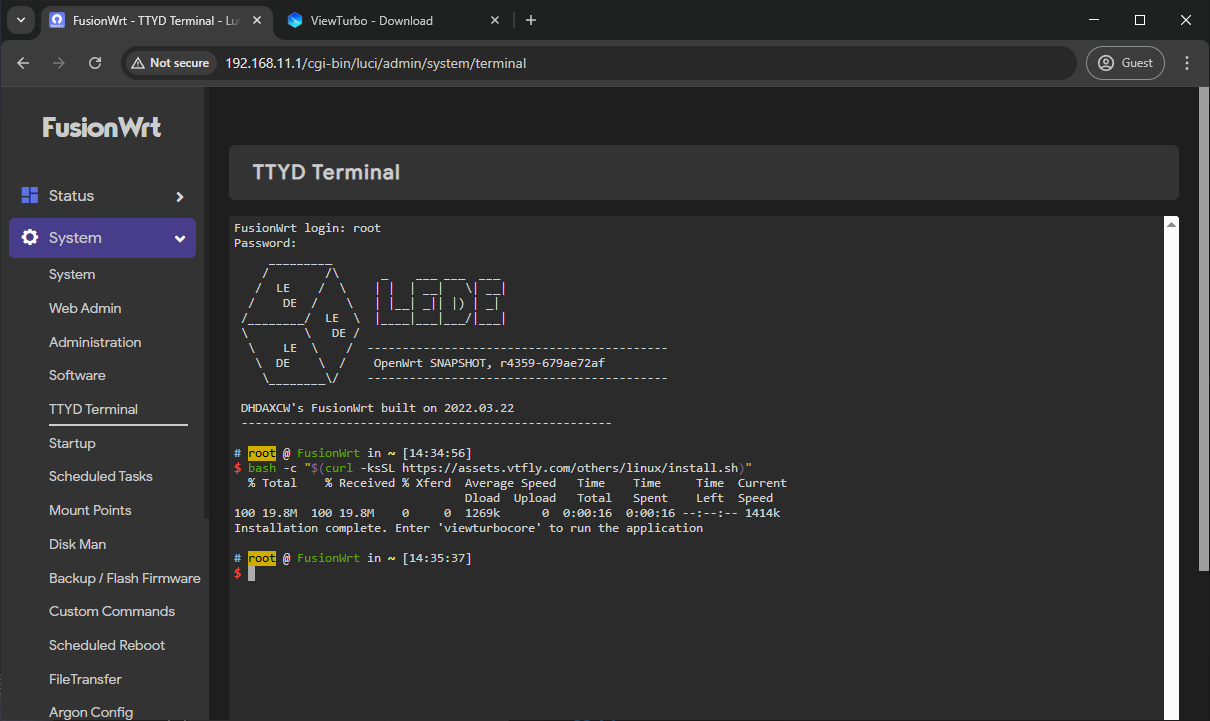
Execute viewturbocore and log in
2. Select node acceleration
- Select node and speed up
- Select the Global Proxy mode in Settings -> Select Proxy Mode.
warning
Be sure to choose Global Proxy! Otherwise, you won't be able to access the Internet!
3. Configure the PassWall plug-in
PassWall's function is to transfer the network to the Socks5 address of ViewTurbo.
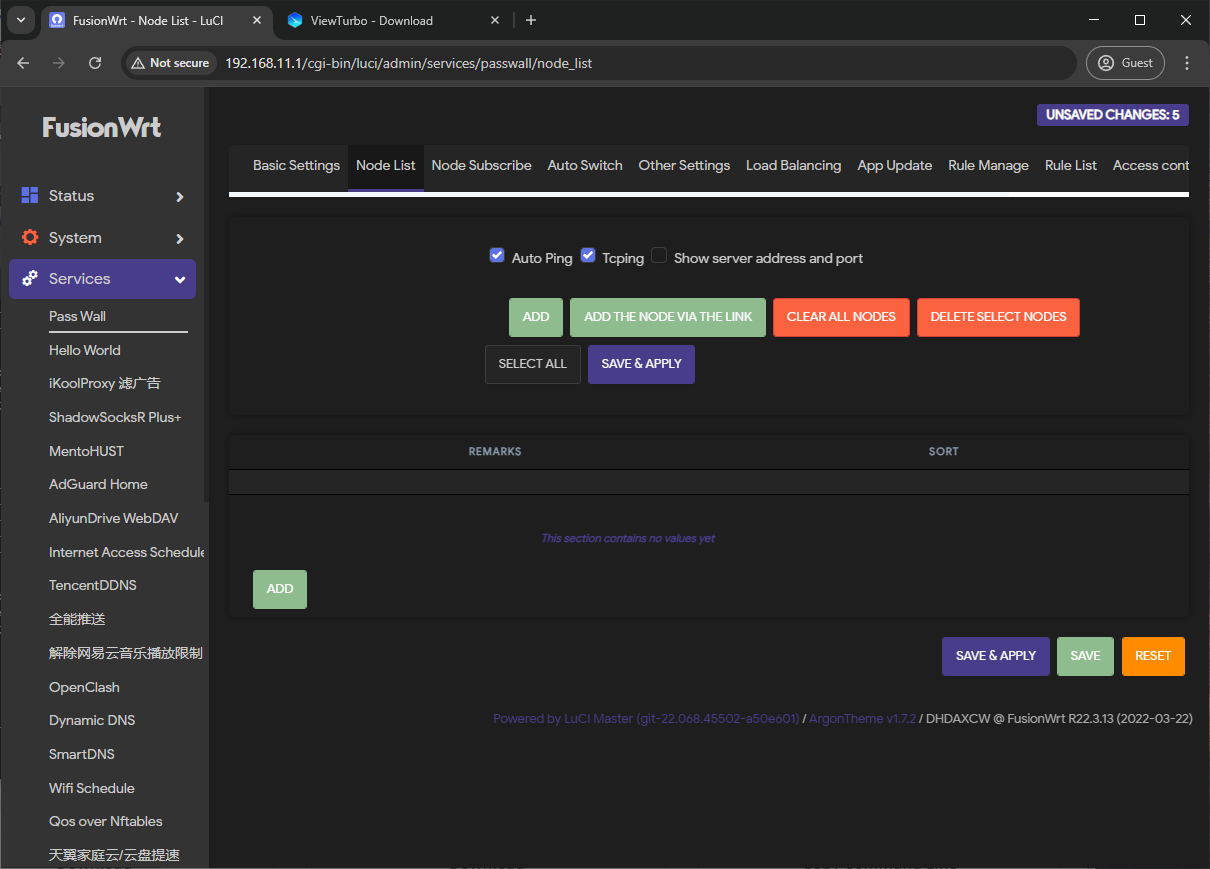
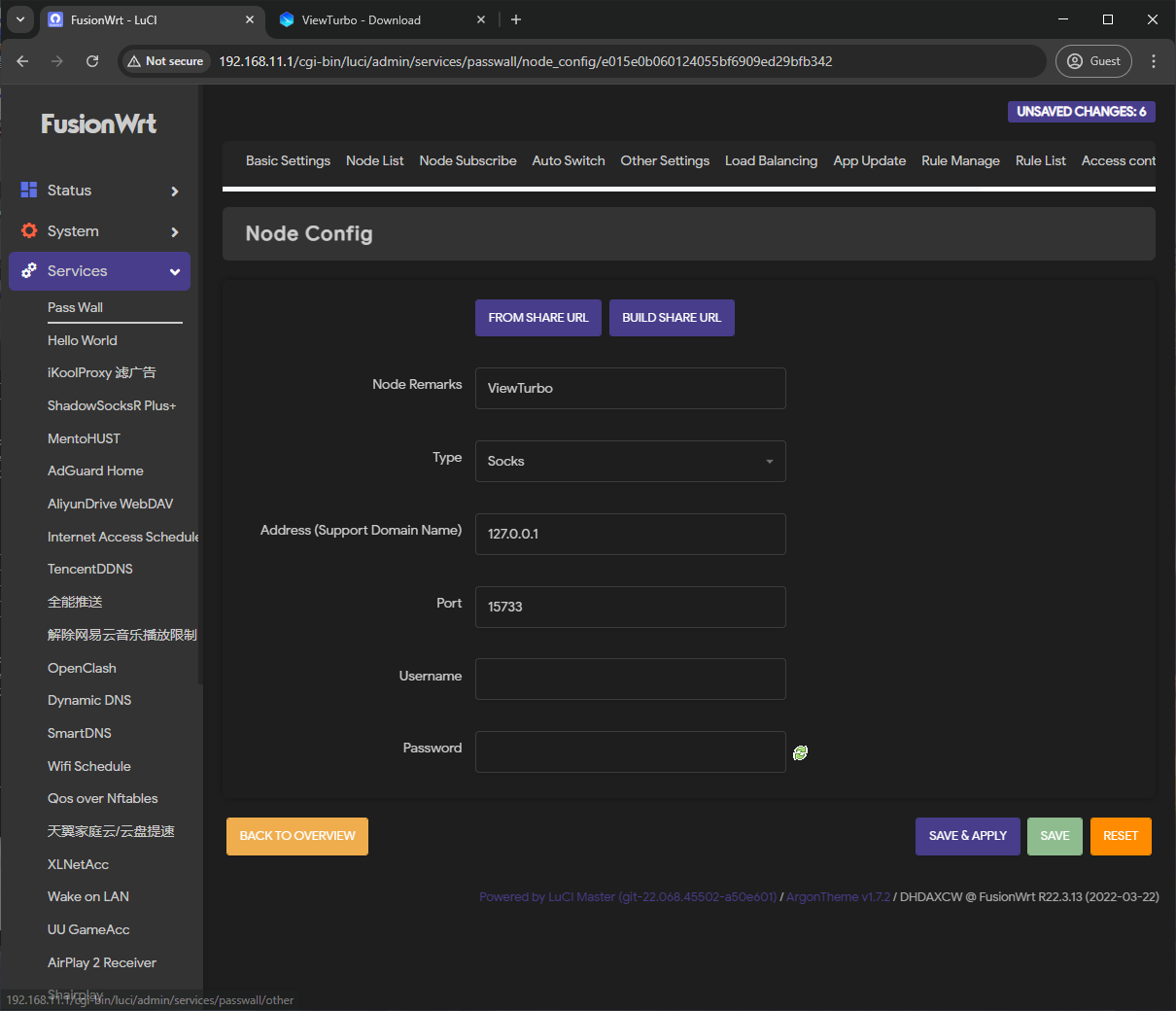
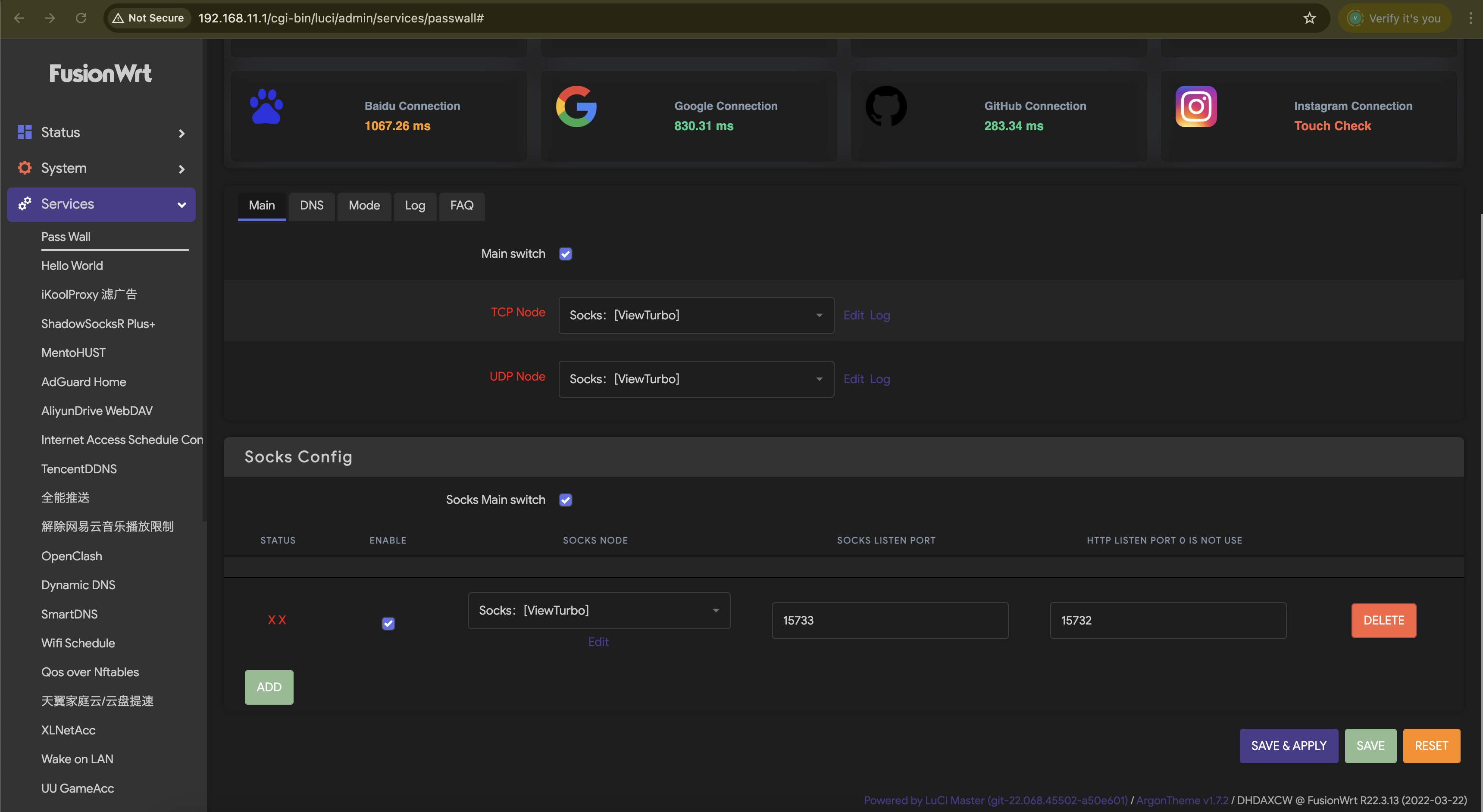
Configure the power-on startup?
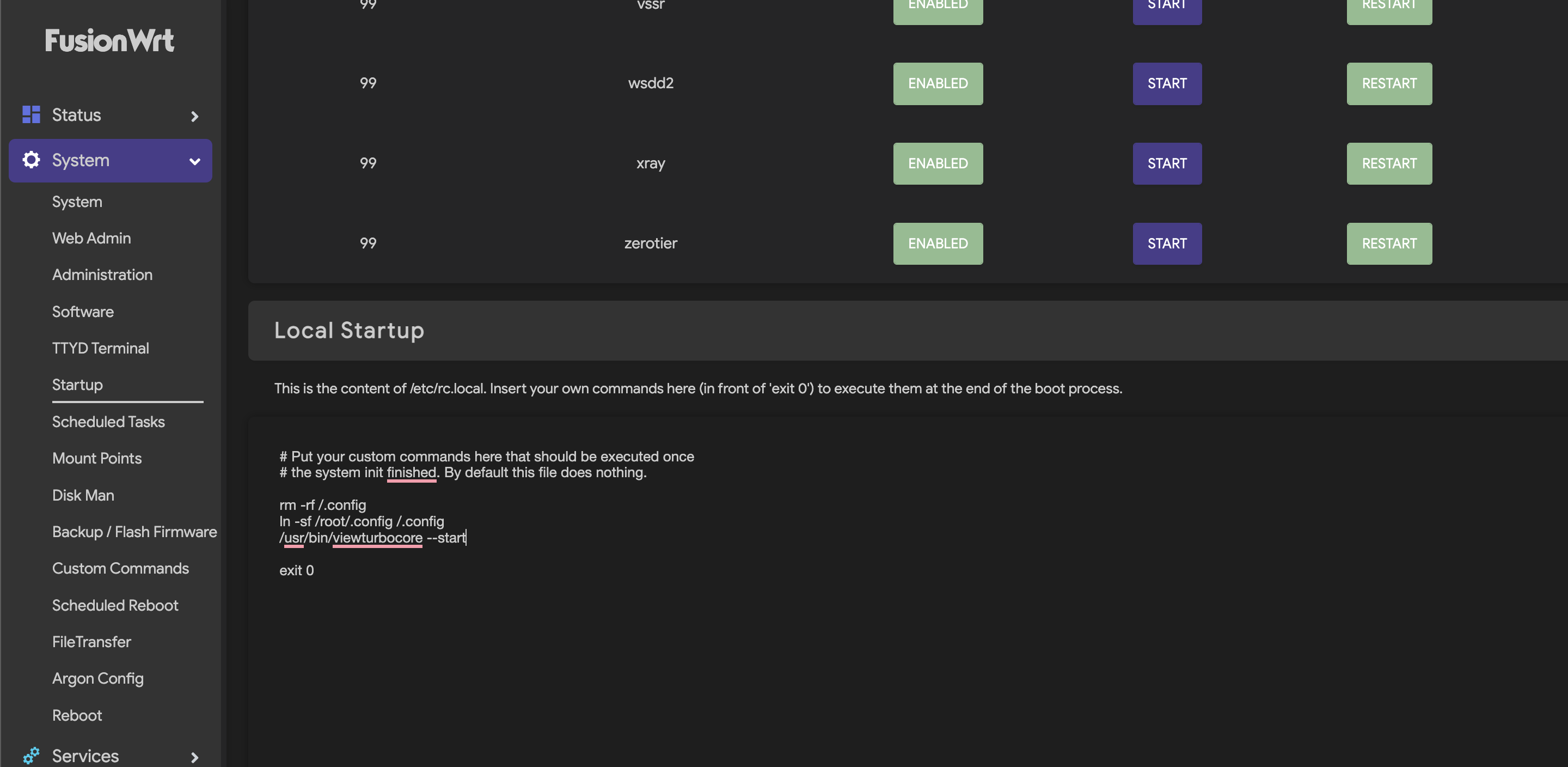
Add the following command to the image location
export HOME=/root

export XDG_CONFIG_HOME=/root/.config

# /usr/local/bin/viewturbocore --start
/usr/bin/viewturbocore --start